Dragon's Hoard
Dragon Menu
This is a fun feature that allows you to customize the look of your dashboard by choosing which dragon guards the hoard at the bottom of the page.
The dragon you choose is tied to the account, so the selection will be the same in both the parent and kid's view.
New Dragon Drops! A new dragon is released into the hoard every Wednesday. Check back each week to see who has arrived!
How to Change Your Dragon
The process is simple and the effect is immediate.
- Find and click the Dragon button. The button is in the bottom-right corner of the main content area.
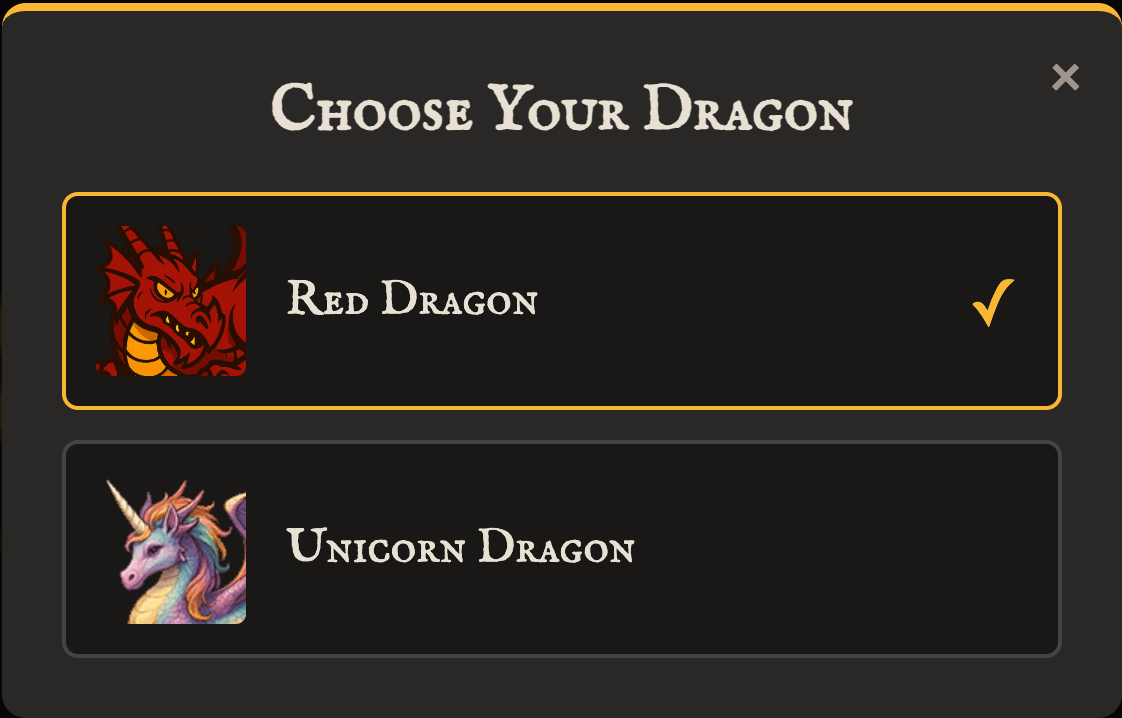
- A menu will appear, showing the available dragons with a preview thumbnail and a name for each.
- The currently selected dragon will be highlighted with a gold border and a checkmark (✓).
- Simply click on the dragon you'd like to choose.
The menu will close, your choice will be saved, and the dragon image at the bottom of the dashboard will instantly update to your new selection.