 Dragon's Hoard
Settings Menu
The Settings menu is where you can manage your main account details, username, and password. This menu is only available to the parent account. You can access it by clicking the gear icon in the top-right corner of the dashboard.
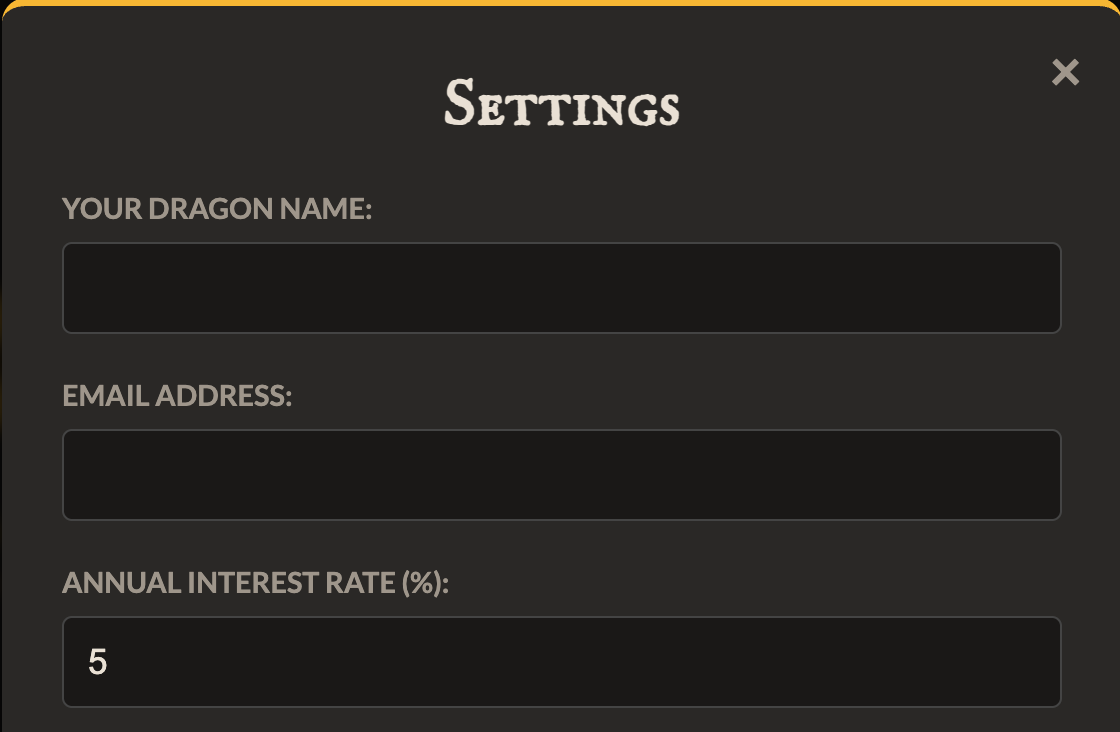
Account Settings
This is the first section of the settings menu where you can update your general profile information.
- Your Dragon Name: This is the display name for your account (e.g., "Dad's Hoard" or "Alex's Pocket Money"). This name is shown at the top of the dashboard.
- Email Address: The email address associated with your account. Please verify your email.
- Annual Interest Rate (%): This allows you to set a custom interest rate for the account. Interest is calculated daily based on this annual rate and is deposited into the hoard on the first of every month.
After making any changes, click the "Update Settings" button to save them.
Change Username
This section allows you to change the username you use to log in to your parent account.
- Enter your desired New Username. It must not be in use by any other account.
- For your security, you must enter your current Password to confirm the change.
- Click the "Change Username" button.
Change Password
This section allows you to change the password for your parent account. If you have forgotten your password completely, please reset it on the login screen.
- Current Password: You must enter your existing password to prove you are the account owner.
- New Password: Enter your new, secure password.
- Confirm New Password: Re-enter your new password. It must match the field above.
- Click the "Change Password" button.
Tip: For best security, use a new, strong password that you don't use for other websites.