Dragon's Hoard
Login & Registration
This section covers how to create your parent account, log in, and access a child's view directly from the login screen.
Creating a Parent Account
Creating an account is the first step to starting your Dragon's Hoard. This is the main account that will manage all transactions and child access.
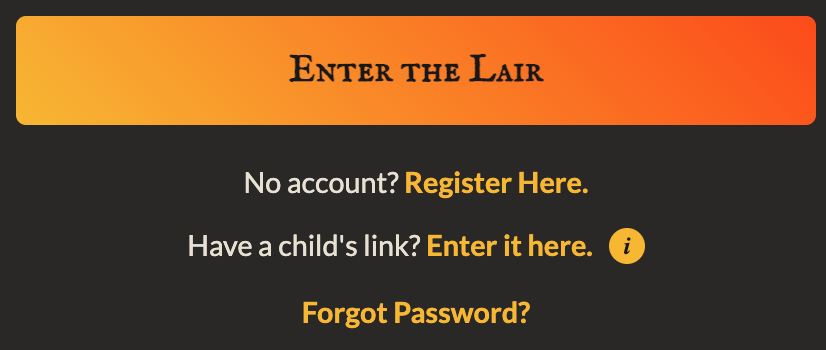
- From the main page, click the "Register" button.
- Fill in the required fields:
- Username: A unique name for your account.
- Display Name: The name that will be shown in the app (e.g., "Dad's Account").
- Email: Your email address.
- Password: A secure password for your account.
- Click the "Create Account" button.
- Please verify your email by clicking the link you receive at your registered email address. Check you junk folder if you don't receive it.
Tip: We recommend using a strong, unique password to keep your hoard secure.
Once your account is created, you will see a success message and can proceed to log in.
Logging In to Your Account
To access your main dashboard where you can manage treasure and settings, you'll need to log in with your parent account credentials.
For your security, if there are too many incorrect login attempts, your account will be temporarily locked. If this happens, please wait 15 minutes before trying again.
Using a Child's Link
If you have a full share link for a child's view (for example, to set up a new device), you can use it directly from the login page.
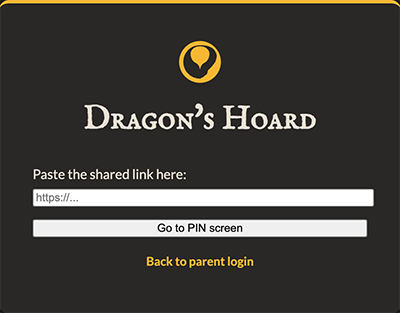
- On the login screen, click the link that says "Have a child's link? Enter it here."
- Paste the entire, unique share link into the input box that appears.
- Click the "Go to PIN screen" button.
You will be taken directly to the PIN entry screen for that specific child.
Forgetting Your Password
If you forget your password, you can reset it on the login screen, but only if you have registered a valid email address. Please be sure to store your password in a safe place.